 4Carbon
Give your character a gesture, not just a pose
Bring an illustrated character or portrait reference into a short scene. Explore a cafe exchange, an expressive reaction or a simple journey while keeping the character easy to recognize.
Fixed quote · per video152 creditsAspect ratio: Automatic · Resolution: 720p · Duration: 5 seconds · Generate audio: On · Reference images: 1
This preset uses the fixed credit quote shown. Auto is also quoted in advance. Prompt complexity and token usage do not add a charge after confirmation.
Cases and starting points
View prompt
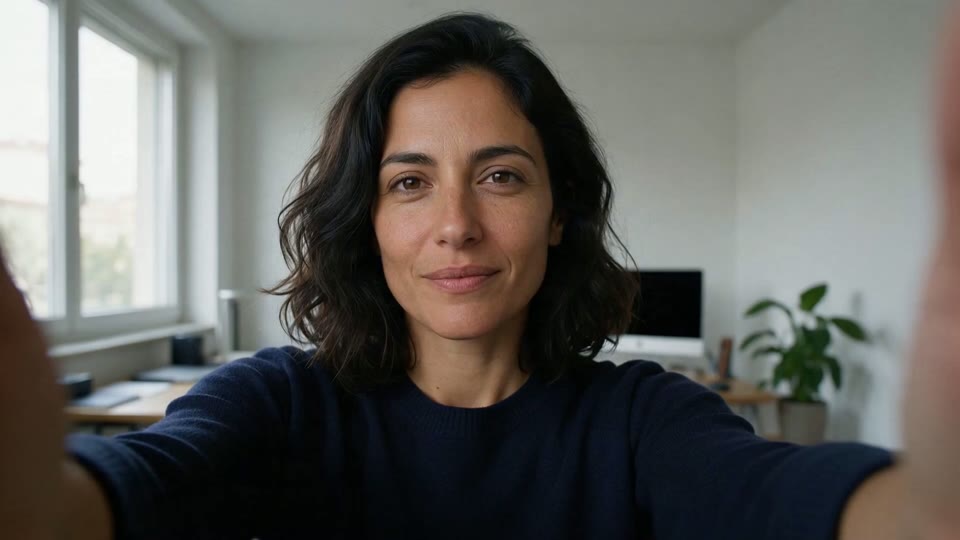
Use the supplied frame as a visual starting point. A close camera-facing portrait video of an adult woman with shoulder-length dark wavy hair wearing a navy top in a bright home interior. She changes expression naturally while speaking, with small eyebrow and head movements. Keep the window light soft, the framing steady and the background quiet. Do not add on-screen captions or imply a verified spoken script.
Give your character a gesture, not just a pose
Bring an illustrated character or portrait reference into a short scene. Explore a cafe exchange, an expressive reaction or a simple journey while keeping the character easy to recognize.
How should I prepare the source?
Choose a clear subject, complete edges and deliberate framing. Leave space for movement or layout and retain the original.
How do I describe natural motion?
Choose one main action, its scale and what stays steady: a slight turn or moving water, rather than changing everything.
How should I describe camera motion?
Specify a restrained push, pan or fixed view. Large moves may reveal areas missing from the source.
Portrait video · Four steps
- STEP 1
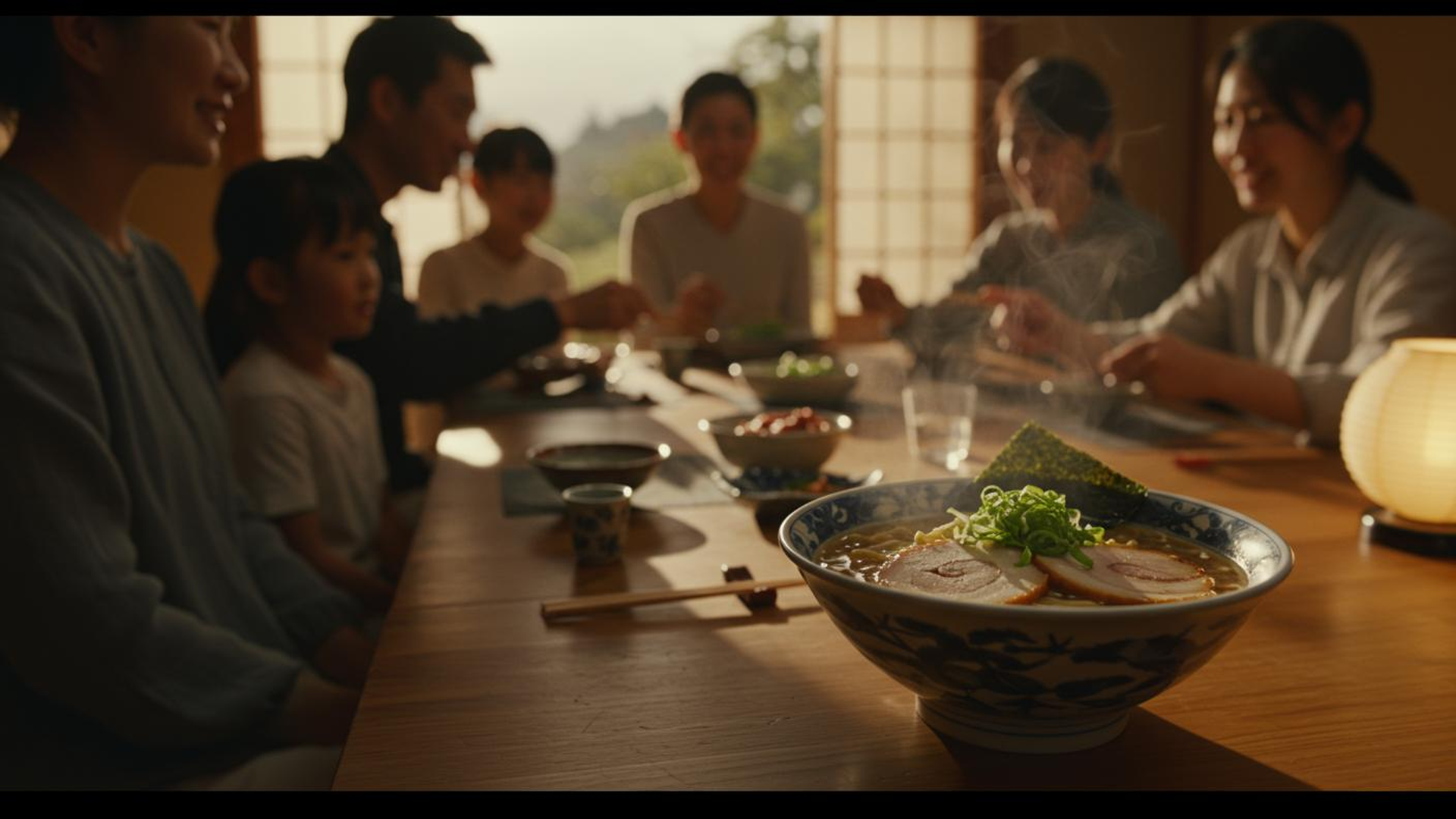
Choose a clear single-person portrait
Choose a clear subject, complete edges and deliberate framing. Leave space for movement or layout and retain the original.
- Seedance 2.0Suggested prompt, not the original generation recordSTEP 2
For the target video, at 0.00 seconds into the target video, <Picture 1> (from [Shot 1]) is fully referenced. integrated_multimodal_description: [Shot 1] This is a live-action, cinematic shot with a shallow depth of field. The camera holds a perfectly static shot throughout the entire eight-second duration, capturing a cozy family gathering in a traditional Japanese dining room. The scene opens with a large, intricately patterned blue and white ceramic bowl of ramen in the immediate foreground, rendered in crisp, sharp focus. The bowl sits on a smooth, polished long wooden table. Inside the bowl, a rich, oily golden-brown broth surrounds yellow wavy noodles, topped with two thick, round slices of chashu pork featuring visible fat marbling and a distinct spiral meat pattern. A generous mound of freshly chopped, bright green scallions rests in the center, and a crisp, dark green rectangular sheet of nori seaweed is tucked into the right edge. To the left of the bowl, a pair of light brown wooden chopsticks rests horizontally on a small, dark rectangular chopstick rest, near a small cylindrical ceramic teacup with blue painted patterns. On the right side of the table, a spherical paper lantern with a ribbed bamboo frame sits on a black wooden base. In the background, a large family of seven is gathered around the table, initially appearing as a soft, blurred presence. Behind them, traditional Japanese sliding shoji screens with wooden lattice frames are open, revealing a bright outdoor scene with lush green trees. Early in the clip, the thick, white steam rising from the hot ramen broth immediately intensifies, billowing upwards in thick, swirling clouds that dance continuously above the bowl. As the clip progresses into the middle seconds, the camera maintains its static position while the focus begins a deliberate, smooth shift deeper into the room. The foreground ramen bowl, its vibrant ingredients, and the rising steam gradually soften into a hazy, out-of-focus blur. Simultaneously, the family members in the background come into sharp, detailed clarity. The heavy steam continues to rise from the foreground, creating a dynamic, translucent veil between the camera and the family. With the focus now firmly locked on the background, the vibrant family dinner comes alive. The man in the dark navy blue long-sleeved shirt on the left leans forward, his mouth moving animatedly in a silent exchange. The young girl in the crisp white short-sleeved t-shirt beside him smiles brightly, looking toward the center of the table. The woman on the far left, wearing a soft light blue long-sleeved blouse, turns her head slightly, smiling gently. Across the table, the woman in the light grey button-down shirt smiles broadly, her eyes crinkling, as she rests her hands near her plate. The woman in the dark grey top further back uses her wooden chopsticks to pick up a small piece of food from a central ceramic dish filled with bright red pickled vegetables. The woman in the center back in the light grey sweater smiles gently, her hands clasped softly in front of her, observing the interaction. Throughout the remainder of the clip, the family continues their lively physical interaction, their mouths moving in continuous, silent cadences of conversation, while the thick, white steam from the blurred ramen bowl in the foreground never stops rising, adding a comforting atmosphere to the warm gathering. overall_soundscape: The soundscape begins with a quiet room tone mixed with the faint, airy rustle of the thick steam billowing from the hot ramen bowl in the foreground, accompanied by the subtle, continuous hissing and bubbling of the rich broth. As the visual focus shifts deeper into the room, the physical sounds of the bustling family dinner become dominant in the foreground. The clear, sharp clinking of ceramic bowls and wooden chopsticks touching plates is clearly heard as the family members reach for food. This is followed by the faint, muffled thud of a cup being set down on the smooth wooden table, and the subtle, rhythmic rustle of cotton and wool clothing as the family members lean forward and gesture, perfectly capturing the lively, physical atmosphere of the shared meal. non_diegetic_music: A gentle, heartwarming acoustic guitar melody plays softly in the background, accompanied by the subtle, resonant notes of a traditional Japanese koto. The music maintains a slow, comforting tempo that enhances the cozy, nostalgic, and joyful atmosphere of the family gathering.
Fixed quote · per video152 creditsAspect ratio: Automatic · Resolution: 720p · Duration: 5 seconds · Generate audio: On · Reference images: 1Specify one expression or head movement
Choose one main action, its scale and what stays steady: a slight turn or moving water, rather than changing everything.
- STEP 3
References and instructions guide the result but do not guarantee it. Inspect the complete image or clip.
Review duration and audio settings
Your uploaded references are private creation inputs and upload when you request a quote. Public examples have separate display permission.
- STEP 4
References and instructions guide the result but do not guarantee it. Inspect the complete image or clip.
Inspect facial continuity throughout
References and instructions guide the result but do not guarantee it. Inspect the complete image or clip.
Features
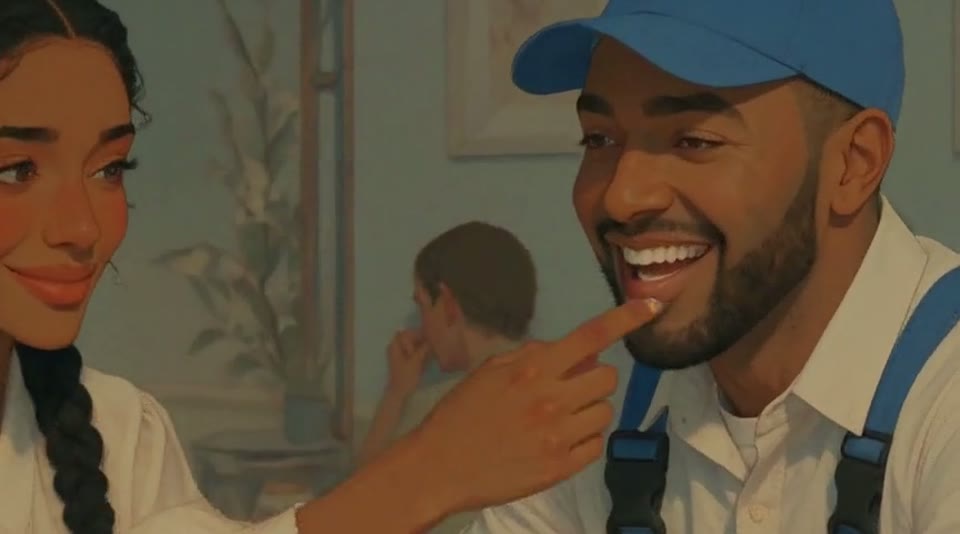
Start with a small interaction
A cup and a hand gesture give the illustrated pair something specific to do.
What to put in the prompt
Choose an action that fits the character reference.
- Begin with a complete, readable portrait.
- Inspect facial details through the entire motion.
Leave space around the head
Allow room for a slight turn or a change in framing. Check the edges and shoulders before submitting.
Preserve believable detail
Inspect eyes, mouth and skin detail through the entire result. The image guides appearance but does not guarantee identity preservation.
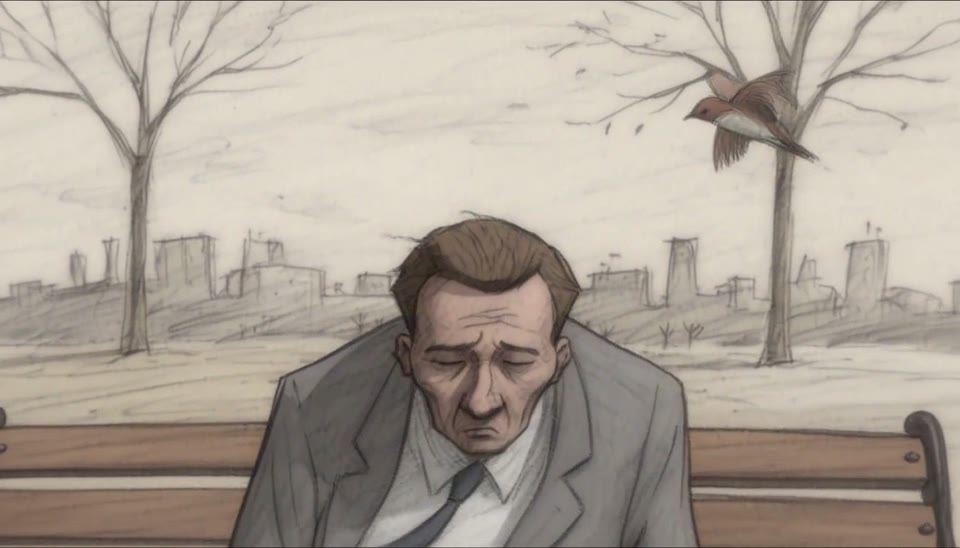
Give emotion a visible shape
The bench character reacts through posture, eyes and an exaggerated silhouette.
What to put in the prompt
Describe which features carry the emotion.
- Begin with one readable expression change.
- Use Talking Photo for a specific recording.
Do not promise a lip-sync performance
A motion prompt is not a verified speech-alignment workflow. This page must not present a micro-motion clip as an audio-driven talking photo.
Use the dedicated flow for a recorded message
For speech driven by your own recording, open Talking Photo and supply the matching portrait and audio. Review the complete result.

Keep a recognizable costume
The courier remains identifiable through a blue shirt and orange backpack.
What to put in the prompt
Name the clothing and accessories that should stay consistent.
- Leave room for small head movement.
- Avoid asking a portrait to describe unseen choreography.
Keep the setting quiet
Use a simple environment so background changes do not distract from the face. Avoid several competing actions in one short shot.
Avoid full-body choreography
A portrait image does not describe unseen body movement. Keep the requested action appropriate to what the source actually shows.
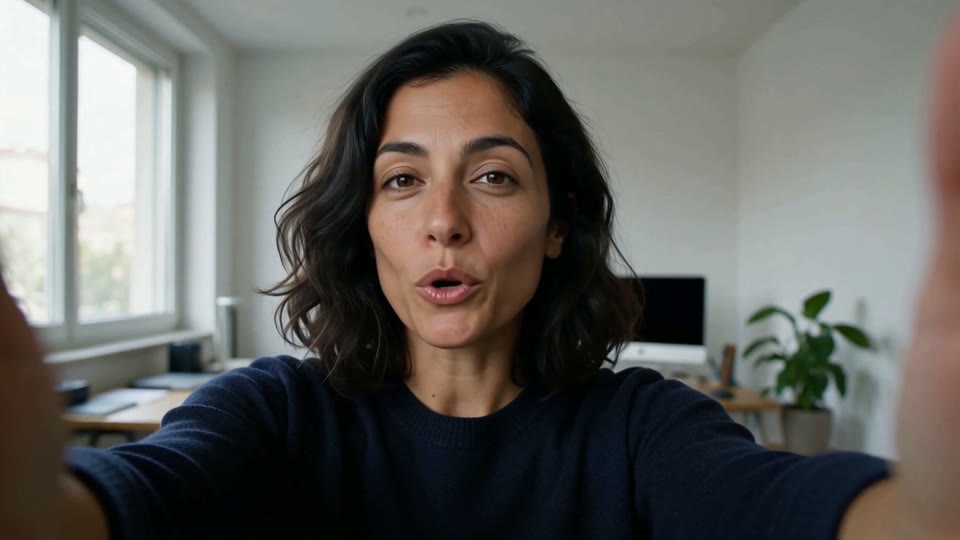
Use restrained facial motion
A camera-facing portrait shows how small expression changes can carry a clip.
What to put in the prompt
For a specific spoken recording, use the dedicated talking-photo workflow.
Choose a supported duration
The current video model determines duration and other available settings. This is not an audio-duration-based talking-photo quote.
Review the current credit estimate
Use the shared workspace and confirmation quote. Do not infer a speech price from the reference site’s different endpoint.
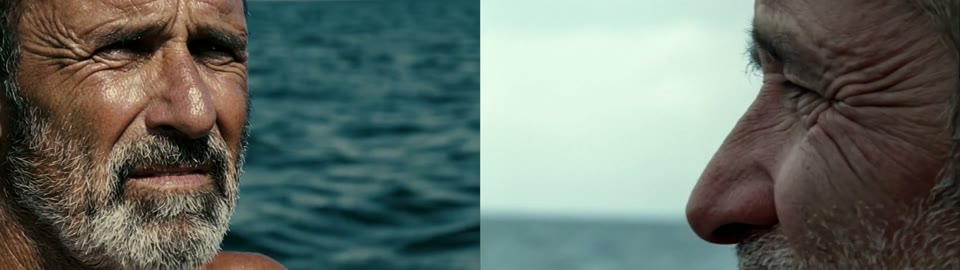
Check the face through the entire take
A close portrait exposes changes in eyes, jawline and texture.
What to put in the prompt
Review the middle of the clip as carefully as its opening.
Listen only to an actual audio track
If audio was enabled and returned, review the real track. Do not claim speech synchronization that was not provided and verified.
Download the completed file
Use the existing result in your history once available. A finished portrait sample is not currently available in the public showcase.
Example prompts
Small expressions
Keep the reference portrait composition, add a subtle blink followed by a natural smile, fixed camera and quiet background, without speech or subtitles.
Small head turn
Use your single-person portrait. Let the person turn slightly left and settle, stable background and camera, without speech, captions or another person.
4Carbon Pricing and Credit Plans
Subscriptions and one-time credits for AI image and video creation.
Cancel future renewals anytime
Lite
Save about 50%$0.025 /credit
$179.00 billed yearly · Save $179.80/year
600 credits/month
Video models


Image models
 GPT Image 2Fixed quote: 22 credits · Default settings
- GPT Image 2.5 FlareFixed quote: 4 credits · Default settings
- GPT Image 2.5 SunburstFixed quote: 4 credits · Default settings
 Nano Banana 2 LiteFixed quote: 5 credits · Default settings
- Nano Banana 2Fixed quote: 8 credits · Default settings
- Nano Banana ProFixed quote: 15 credits · Default settings
 Seedream V5Fixed quote: 14 credits · Default settings
- Seedream Pro LayerizeReserved credits: 119 credits · Default settings
 Grok Imagine ImageFixed quote: 4 credits · Default settings
- Image and video model access
- The same model and settings use the same credits across plans.
- Pay yearly. Credits arrive monthly and expire at each monthly window end. Unused credits do not roll over.
Standard
Save about 50%$0.017 /credit
$299.00 billed yearly · Save $299.80/year
1,500 credits/month
Video models
Image models
- GPT Image 2Fixed quote: 22 credits · Default settings
- GPT Image 2.5 FlareFixed quote: 4 credits · Default settings
- GPT Image 2.5 SunburstFixed quote: 4 credits · Default settings
- Nano Banana 2 LiteFixed quote: 5 credits · Default settings
- Nano Banana 2Fixed quote: 8 credits · Default settings
- Nano Banana ProFixed quote: 15 credits · Default settings
- Seedream V5Fixed quote: 14 credits · Default settings
- Seedream Pro LayerizeReserved credits: 119 credits · Default settings
- Grok Imagine ImageFixed quote: 4 credits · Default settings
- Image and video model access
- The same model and settings use the same credits across plans.
- Pay yearly. Credits arrive monthly and expire at each monthly window end. Unused credits do not roll over.
Pro
Save about 50%$0.014 /credit
$599.00 billed yearly · Save $599.80/year
3,600 credits/month
Video models
Image models
- GPT Image 2Fixed quote: 22 credits · Default settings
- GPT Image 2.5 FlareFixed quote: 4 credits · Default settings
- GPT Image 2.5 SunburstFixed quote: 4 credits · Default settings
- Nano Banana 2 LiteFixed quote: 5 credits · Default settings
- Nano Banana 2Fixed quote: 8 credits · Default settings
- Nano Banana ProFixed quote: 15 credits · Default settings
- Seedream V5Fixed quote: 14 credits · Default settings
- Seedream Pro LayerizeReserved credits: 119 credits · Default settings
- Grok Imagine ImageFixed quote: 4 credits · Default settings
- Image and video model access
- The same model and settings use the same credits across plans.
- Pay yearly. Credits arrive monthly and expire at each monthly window end. Unused credits do not roll over.
Max 1×
Save about 50%$0.012 /credit
$1,199.00 billed yearly · Save $1,199.80/year
8,000 credits/month
Video models
Image models
- GPT Image 2Fixed quote: 22 credits · Default settings
- GPT Image 2.5 FlareFixed quote: 4 credits · Default settings
- GPT Image 2.5 SunburstFixed quote: 4 credits · Default settings
- Nano Banana 2 LiteFixed quote: 5 credits · Default settings
- Nano Banana 2Fixed quote: 8 credits · Default settings
- Nano Banana ProFixed quote: 15 credits · Default settings
- Seedream V5Fixed quote: 14 credits · Default settings
- Seedream Pro LayerizeReserved credits: 119 credits · Default settings
- Grok Imagine ImageFixed quote: 4 credits · Default settings
- Image and video model access
- The same model and settings use the same credits across plans.
- Pay yearly. Credits arrive monthly and expire at each monthly window end. Unused credits do not roll over.
Payment and confirmation
Pricing is shown for reference. Online checkout is not available at launch.
Credits, cancellation and refunds
Pay yearly. Credits arrive monthly and expire at each monthly window end. Unused credits do not roll over.
Subscription credits expire at each paid monthly window end. Cancellation stops the next renewal; paid access continues to period end.
One-time credits are valid for 12 calendar months. A pack does not start a subscription.
Cancellation stops future renewals. Refunds are reviewed separately. Approved purchase reversals reduce only that purchase’s entitlements proportionally; used or reserved credits require review. Other purchases are unaffected.
Frequently asked questions
How should I prepare the source?+
Choose a clear subject, complete edges and deliberate framing. Leave space for movement or layout and retain the original.
How do I describe natural motion?+
Choose one main action, its scale and what stays steady: a slight turn or moving water, rather than changing everything.
How should I describe camera motion?+
Specify a restrained push, pan or fixed view. Large moves may reveal areas missing from the source.
Will the subject stay completely unchanged?+
No guarantee. Request preservation of shape, identity and marks, then compare every result with the source.
Is identity or style guaranteed to stay consistent?+
References and instructions guide the result but do not guarantee it. Inspect the complete image or clip.
Explore the tools
Video Tools
Video Models
Image Tools
Image Models
Creative Tools
Give this portrait a small gesture
Bring an illustrated character or portrait reference into a short scene. Explore a cafe exchange, an expressive reaction or a simple journey while keeping the character easy to recognize.