 4Carbon
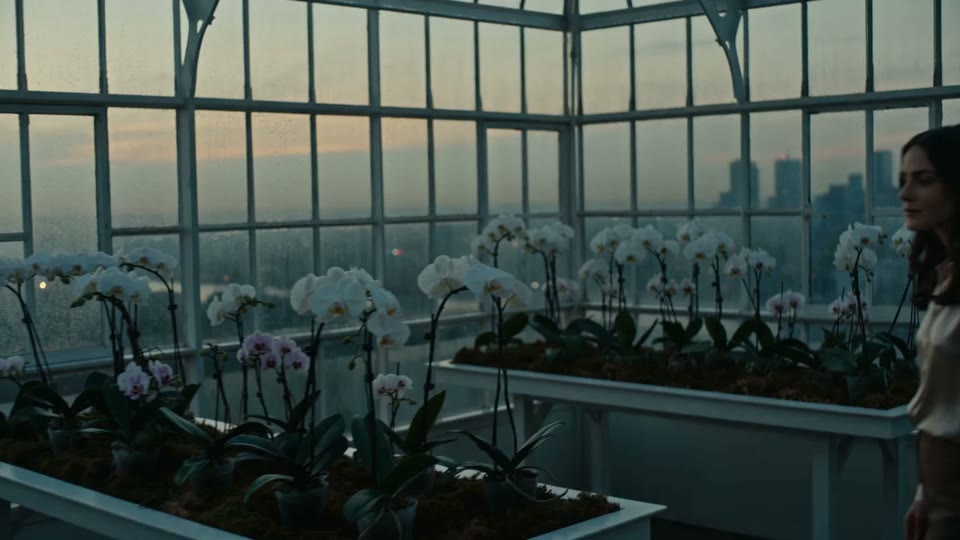
Show the product through a memorable moment
Explore a quiet fragrance scene, a close view of flowing coffee or a miniature product world. Begin with a clear product image and give the clip one visual job.
Fixed quote · per video152 creditsAspect ratio: Automatic · Resolution: 720p · Duration: 5 seconds · Generate audio: On · Reference images: 1
This preset uses the fixed credit quote shown. Auto is also quoted in advance. Prompt complexity and token usage do not add a charge after confirmation.
Cases and starting points
View prompt
Use the supplied frame as a visual starting point. A cinematic fragrance sequence in a rooftop glasshouse at dusk. An adult woman in a light blouse stands among white orchids beside tall window grids. Move from a wide view of the greenhouse to a closer view as she raises a small clear perfume bottle toward her face, then hold her quiet expression in warm evening light. Keep the palette subdued and the actions gentle.
Show the product through a memorable moment
Explore a quiet fragrance scene, a close view of flowing coffee or a miniature product world. Begin with a clear product image and give the clip one visual job.
How should I prepare the source?
Choose a clear subject, complete edges and deliberate framing. Leave space for movement or layout and retain the original.
Can it accurately reveal an unseen product back?
No guarantee. Unknown areas may be invented; use a suitable view or a more restrained camera when accuracy matters.
Will lettering and labels remain exact?
No guarantee. Check every letter, number and mark; add critical typography in a separate editing step.
Product video · Four steps
- Reference inputSTEP 1
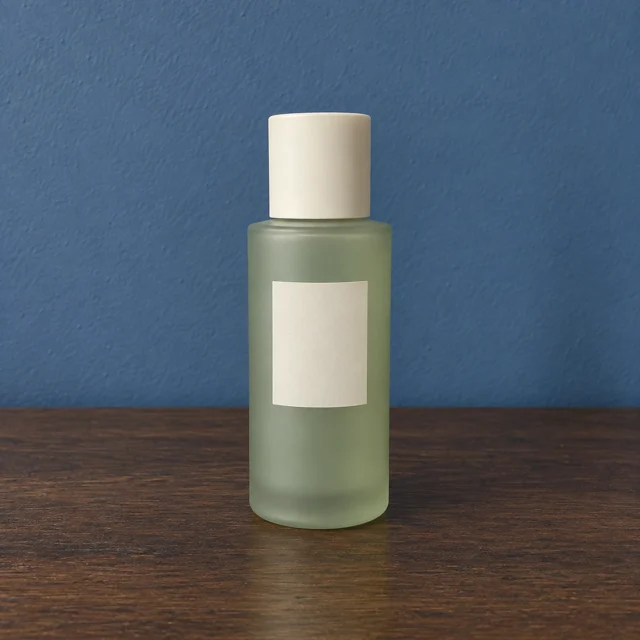
Choose a clear product image
Upload the approved product photograph with a clear silhouette, readable packaging, and natural space around the item.
- VideoSTEP 25s
Pick one detail to showcase
Describe a five-second gentle push toward the stationary product. Keep the label, cap, shape, and support consistent.
- STEP 3
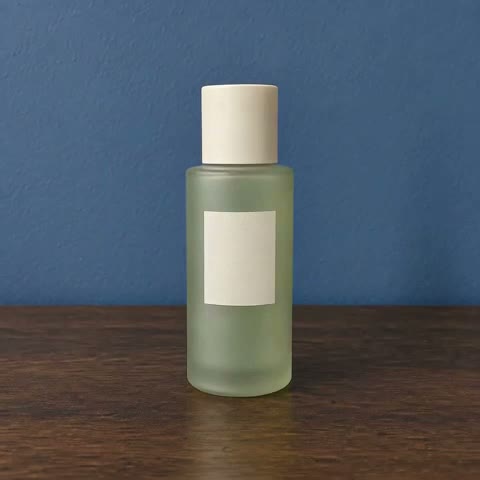
0s 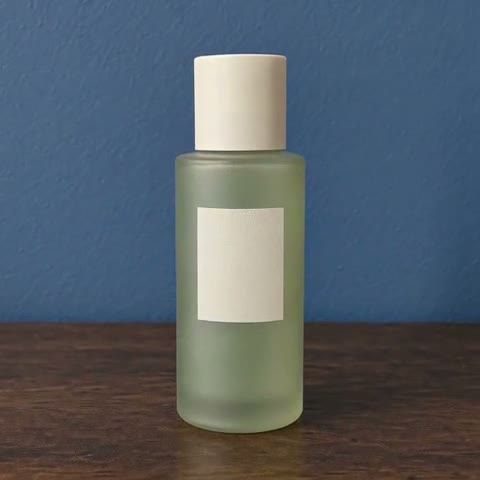
2.8s 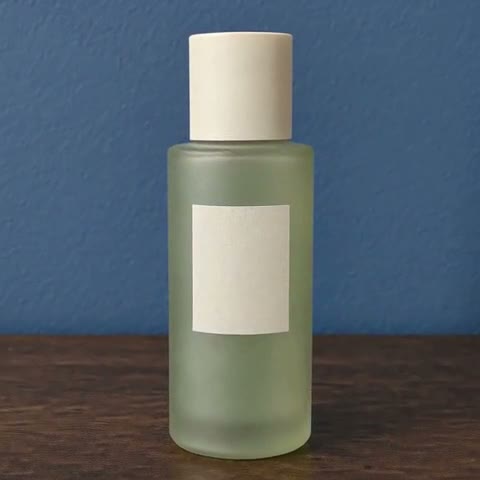
5s Review camera, audio and credits
Review the product at the opening, middle, and ending. Check the live quote for the selected duration, resolution, and audio.
- STEP 4
Reference input Inspect the product throughout, then save
Play the delivered clip with the original beside it. Inspect label stability, reflections, and the final composition before downloading.
Download ↓
Features
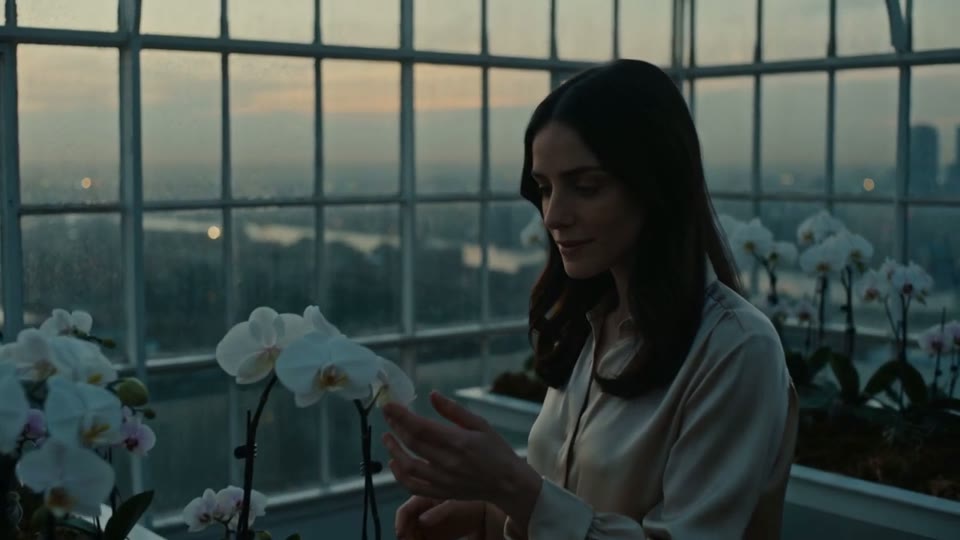
Connect the object to a human gesture
A hand raising a perfume bottle gives the object context.
What to put in the prompt
Describe the contact and the product features that should remain visible.
- Keep labels, caps and handles inside the frame.
- Check product contact with the support surface.
Think about the destination crop
Match the input composition to the intended placement. The published perfume example is a real square product clip.
Include a credible support surface
A visible tabletop or base helps explain contact and scale. Inspect whether the generated movement keeps that relationship believable.
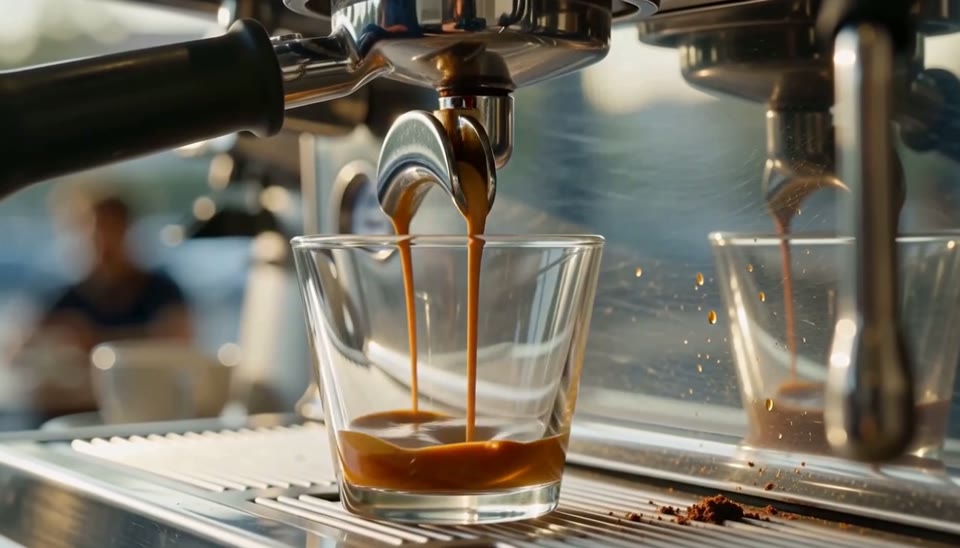
Make material changes visible
The coffee macro emphasizes flow, color and reflected light.
What to put in the prompt
Choose a close view when the product story lives in a texture or process.
- Choose a limited main movement.
- Generated interaction is not product-performance evidence.
Add secondary motion sparingly
Light, steam or a small environmental movement can support the product. Avoid asking every part of the scene to move.
Keep interactions simple
A complex demonstration can alter the product or invent behavior. Treat generated interaction as a concept rather than proof of performance.
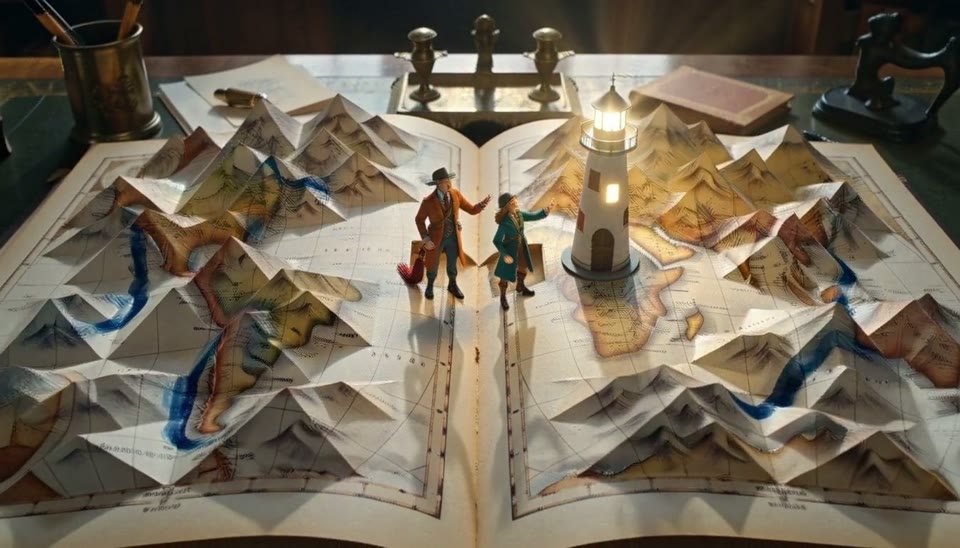
Build a miniature setting
The unfolding book suggests how one object can become a small stage.
What to put in the prompt
Keep your product recognizable when adding imaginative surroundings.
- Compare the material and attached shadows.
- The paired perfume sample has audio disabled.
Keep shadows attached
Inspect the product’s contact with the table and any moving shadow. Floating or detached shadows can undermine the shot.
Choose the audio setting deliberately
The paired perfume clip has audio disabled. Native audio availability and price depend on the selected model and settings.
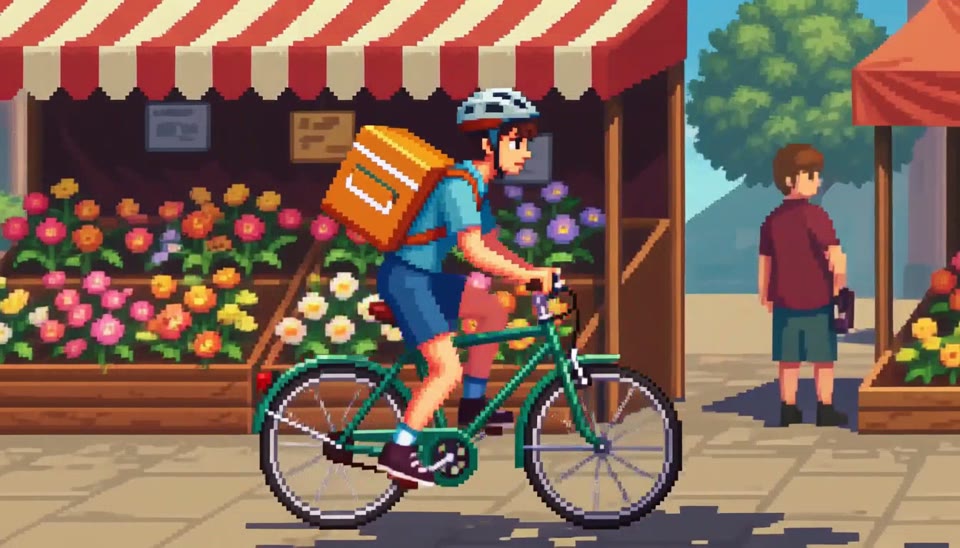
Explore a stylized campaign direction
A pixel market shows a graphic alternative to studio realism.
What to put in the prompt
Choose the visual treatment deliberately and keep the main object easy to locate.
Guide an ending when supported
Kling accepts a start image and an optional end image. Choose a reachable ending and review the transition rather than expecting an automatic perfect cut.
Generate related shots separately
A multi-shot commercial needs selection and editing. A single request does not provide a complete timeline, captions or campaign delivery.
Choose an ending you can edit around
A held close-up gives the next edit room to breathe.
What to put in the prompt
Check the product shape and reflections at the ending before selecting the take.
Play the entire result
Use the complete published clip and its existing frame samples. A poster image alone cannot demonstrate motion quality.
Make the next revision specific
Correct one movement or framing issue and recheck the quote. Downloading or reviewing the existing sample does not require another generation.
Example prompts
Product shape
A small amber perfume bottle on warm sandstone, a slow gentle camera push in, soft morning light moves across the glass, subtle natural room ambience, no speech, no lettering.
Light on clay
Use your teapot image. Keep the spout and handle complete as side light moves slowly across its surface, fixed camera, without revealing an unseen back.
4Carbon Pricing and Credit Plans
Subscriptions and one-time credits for AI image and video creation.
Cancel future renewals anytime
Lite
Save about 50%$0.025 /credit
$179.00 billed yearly · Save $179.80/year
600 credits/month
Video models


Image models
 GPT Image 2Fixed quote: 22 credits · Default settings
- GPT Image 2.5 FlareFixed quote: 4 credits · Default settings
- GPT Image 2.5 SunburstFixed quote: 4 credits · Default settings
 Nano Banana 2 LiteFixed quote: 5 credits · Default settings
- Nano Banana 2Fixed quote: 8 credits · Default settings
- Nano Banana ProFixed quote: 15 credits · Default settings
 Seedream V5Fixed quote: 14 credits · Default settings
- Seedream Pro LayerizeReserved credits: 119 credits · Default settings
 Grok Imagine ImageFixed quote: 4 credits · Default settings
- Image and video model access
- The same model and settings use the same credits across plans.
- Pay yearly. Credits arrive monthly and expire at each monthly window end. Unused credits do not roll over.
Standard
Save about 50%$0.017 /credit
$299.00 billed yearly · Save $299.80/year
1,500 credits/month
Video models
Image models
- GPT Image 2Fixed quote: 22 credits · Default settings
- GPT Image 2.5 FlareFixed quote: 4 credits · Default settings
- GPT Image 2.5 SunburstFixed quote: 4 credits · Default settings
- Nano Banana 2 LiteFixed quote: 5 credits · Default settings
- Nano Banana 2Fixed quote: 8 credits · Default settings
- Nano Banana ProFixed quote: 15 credits · Default settings
- Seedream V5Fixed quote: 14 credits · Default settings
- Seedream Pro LayerizeReserved credits: 119 credits · Default settings
- Grok Imagine ImageFixed quote: 4 credits · Default settings
- Image and video model access
- The same model and settings use the same credits across plans.
- Pay yearly. Credits arrive monthly and expire at each monthly window end. Unused credits do not roll over.
Pro
Save about 50%$0.014 /credit
$599.00 billed yearly · Save $599.80/year
3,600 credits/month
Video models
Image models
- GPT Image 2Fixed quote: 22 credits · Default settings
- GPT Image 2.5 FlareFixed quote: 4 credits · Default settings
- GPT Image 2.5 SunburstFixed quote: 4 credits · Default settings
- Nano Banana 2 LiteFixed quote: 5 credits · Default settings
- Nano Banana 2Fixed quote: 8 credits · Default settings
- Nano Banana ProFixed quote: 15 credits · Default settings
- Seedream V5Fixed quote: 14 credits · Default settings
- Seedream Pro LayerizeReserved credits: 119 credits · Default settings
- Grok Imagine ImageFixed quote: 4 credits · Default settings
- Image and video model access
- The same model and settings use the same credits across plans.
- Pay yearly. Credits arrive monthly and expire at each monthly window end. Unused credits do not roll over.
Max 1×
Save about 50%$0.012 /credit
$1,199.00 billed yearly · Save $1,199.80/year
8,000 credits/month
Video models
Image models
- GPT Image 2Fixed quote: 22 credits · Default settings
- GPT Image 2.5 FlareFixed quote: 4 credits · Default settings
- GPT Image 2.5 SunburstFixed quote: 4 credits · Default settings
- Nano Banana 2 LiteFixed quote: 5 credits · Default settings
- Nano Banana 2Fixed quote: 8 credits · Default settings
- Nano Banana ProFixed quote: 15 credits · Default settings
- Seedream V5Fixed quote: 14 credits · Default settings
- Seedream Pro LayerizeReserved credits: 119 credits · Default settings
- Grok Imagine ImageFixed quote: 4 credits · Default settings
- Image and video model access
- The same model and settings use the same credits across plans.
- Pay yearly. Credits arrive monthly and expire at each monthly window end. Unused credits do not roll over.
Payment and confirmation
Pricing is shown for reference. Online checkout is not available at launch.
Credits, cancellation and refunds
Pay yearly. Credits arrive monthly and expire at each monthly window end. Unused credits do not roll over.
Subscription credits expire at each paid monthly window end. Cancellation stops the next renewal; paid access continues to period end.
One-time credits are valid for 12 calendar months. A pack does not start a subscription.
Cancellation stops future renewals. Refunds are reviewed separately. Approved purchase reversals reduce only that purchase’s entitlements proportionally; used or reserved credits require review. Other purchases are unaffected.
Frequently asked questions
How should I prepare the source?+
Choose a clear subject, complete edges and deliberate framing. Leave space for movement or layout and retain the original.
Can it accurately reveal an unseen product back?+
No guarantee. Unknown areas may be invented; use a suitable view or a more restrained camera when accuracy matters.
Will lettering and labels remain exact?+
No guarantee. Check every letter, number and mark; add critical typography in a separate editing step.
How do I assess reflections and shadows?+
Compare them with the light source, material and contact surface. Reflections should not obscure important packaging details.
How should I describe camera motion?+
Specify a restrained push, pan or fixed view. Large moves may reveal areas missing from the source.
Explore the tools
Video Tools
Video Models
Image Tools
Image Models
Creative Tools
Make a product showcase clip
Explore a quiet fragrance scene, a close view of flowing coffee or a miniature product world. Begin with a clear product image and give the clip one visual job.