 4Carbon
One clear moment for the next scroll
A bicycle moving through a colorful market, a surprising camera turn or coffee filling a glass: build a short visual hook around one action, then shape it for your publishing format.
Fixed quote · per video152 creditsAspect ratio: Automatic · Resolution: 720p · Duration: 5 seconds · Generate audio: On · Reference images: 1
This preset uses the fixed credit quote shown. Auto is also quoted in advance. Prompt complexity and token usage do not add a charge after confirmation.
Cases and starting points
View prompt
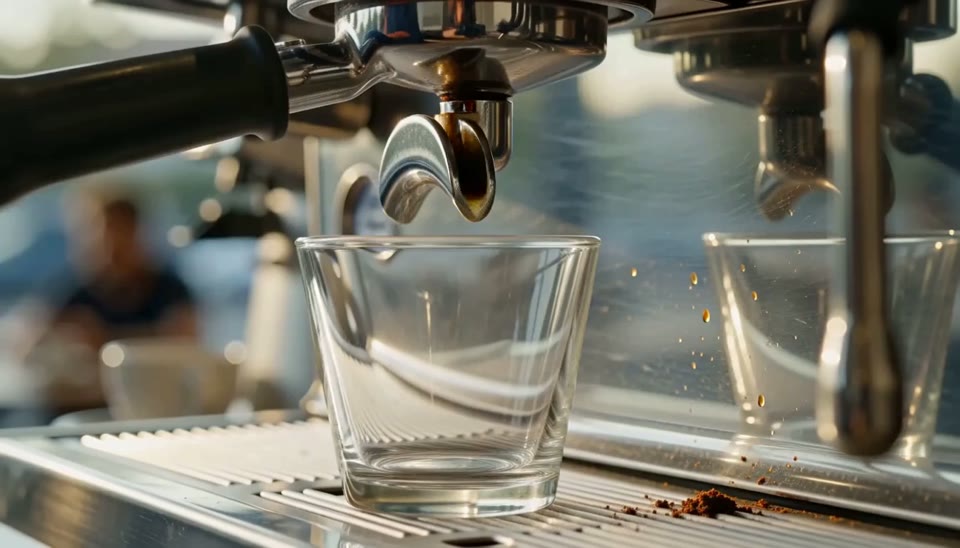
Use the supplied frame as a visual starting point. A close macro shot of espresso pouring from a metal machine into one clear glass on the drip tray. Begin with the empty glass, then follow two narrow streams of coffee as a warm crema layer forms and the liquid rises. Keep the machine stationary, focus on glass edges and flowing liquid, with softly blurred cafe equipment behind.
One clear moment for the next scroll
A bicycle moving through a colorful market, a surprising camera turn or coffee filling a glass: build a short visual hook around one action, then shape it for your publishing format.
Does this deliver a finished advertisement?
It makes short clips for further editing, without a full advertising edit, captions, music assembly or placement review.
How should I compose a vertical clip?
Choose a supported portrait ratio and keep important action visible. A crop of landscape footage is not native portrait generation.
Are accurate subtitles added automatically?
There is no separate subtitle-layout workflow here. Add and proofread required captions during editing.
Social video · Four steps
- Reference inputSTEP 1
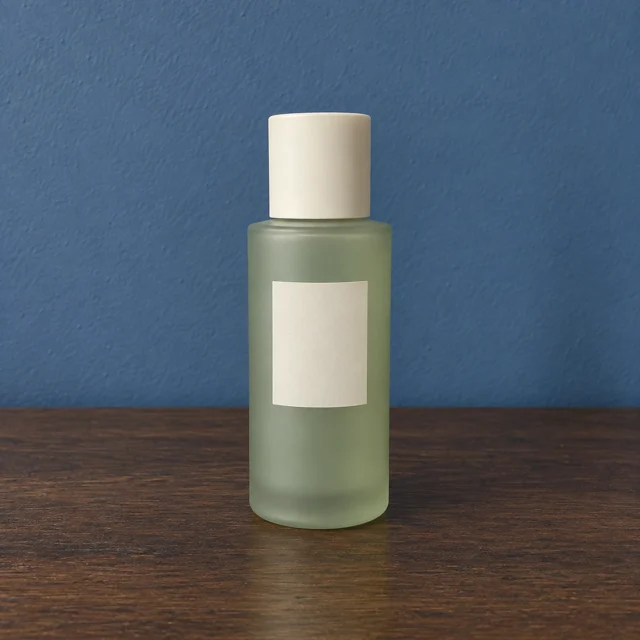
Pick a theme and opening action
Prepare the approved opening image with the featured item and a quiet region for copy added later.
- VideoSTEP 25s
Choose the publishing ratio and settings
Describe one gentle movement that draws attention to the item. Keep the existing copy area, lighting, and recognizable details.
- STEP 3
0s 
2.8s 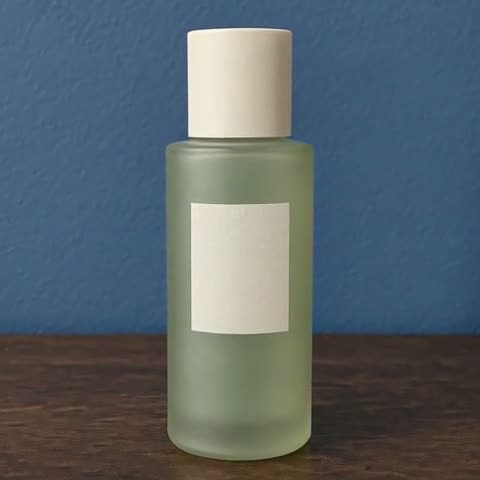
5s Review credits and generate footage
Review the opening, middle, and ending. Check framing, duration, audio, and the current credit quote before creating.
- STEP 4
Reference input Inspect the clip, then continue editing
Watch the full advertisement draft with the original beside it. Add editable offers and captions separately, then inspect the final crop.
Download ↓
Features
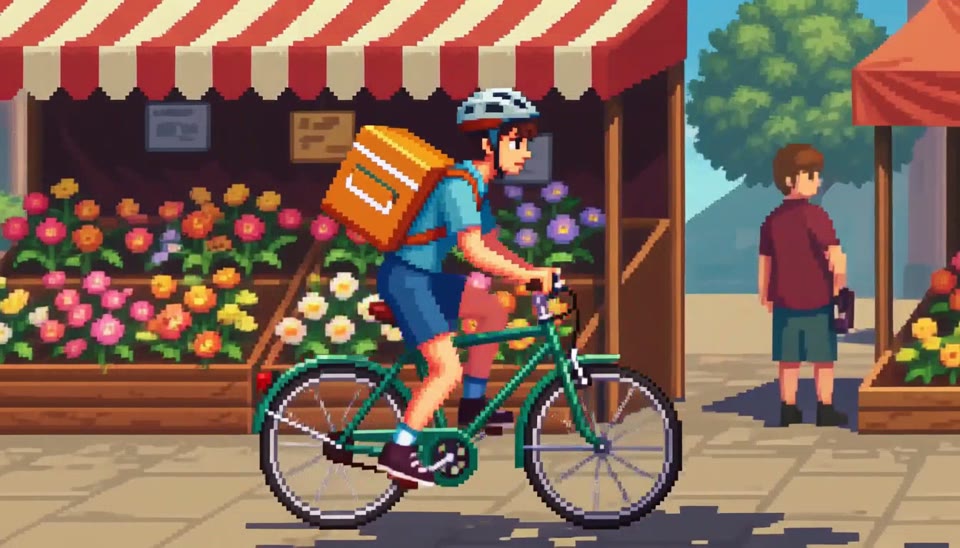
Start with a readable action
The pixel courier appears immediately and travels in one direction.
What to put in the prompt
Put the subject on screen early instead of spending the whole clip setting up the scene.
- Make the first action visually understandable.
- Leave room for captions in the later edit.
Choose a visible change
Describe an action such as steam rising or a small camera move. Abstract instructions like “engaging” do not specify the motion.
Leave room for the message
Compose space for captions or branding that will be added later. The generator does not provide an accurate finished subtitle layout.
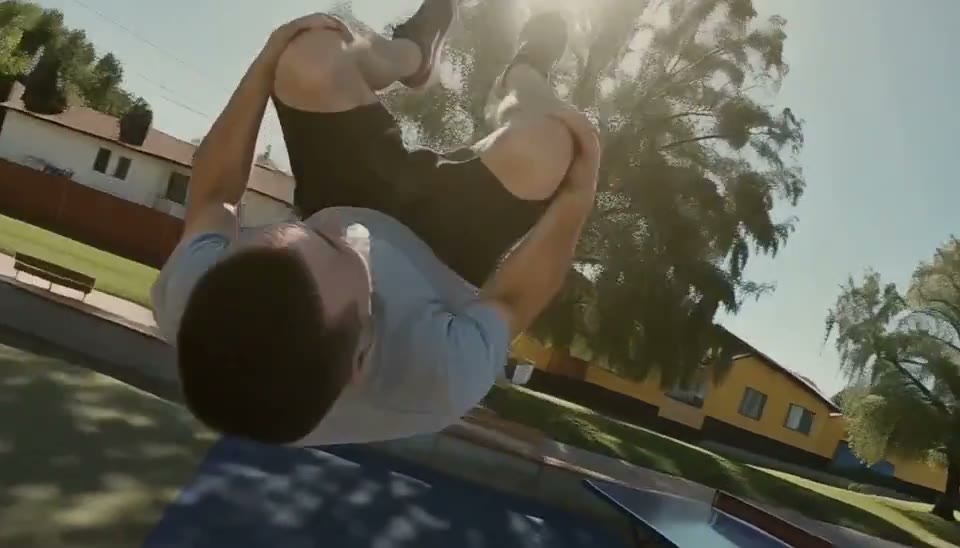
Use the viewpoint as the hook
The rolling parkour camera changes the energy of a simple jump.
What to put in the prompt
Keep one clear focal point so the unusual viewpoint remains readable.
- Illustrate a concept without inventing proof.
- End with a useful pause when appropriate.
Keep the interaction focused
Use one readable gesture or product interaction. A short request with several unrelated events can be difficult to review.
Allow a useful ending pause
Leave a quiet moment for an end card in later editing. Review whether the generated action settles cleanly.
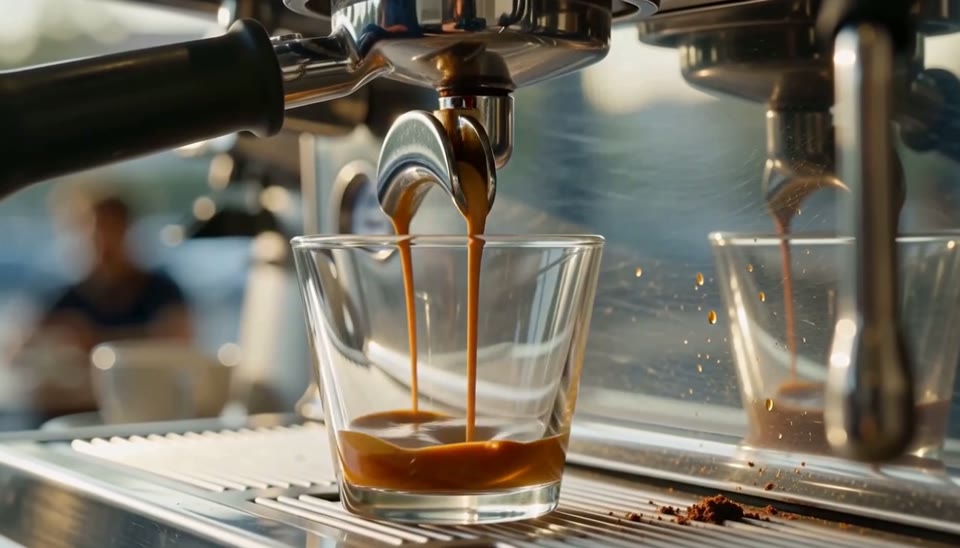
Give the viewer a small payoff
An empty glass gradually fills with espresso.
What to put in the prompt
A compact beginning-to-ending change can provide a complete visual beat in a short clip.
- Change one creative decision per comparison.
- A visual variant does not establish campaign performance.
Describe the atmosphere concretely
Use a lighting condition, pace or environment rather than a list of marketing adjectives. Keep the scene consistent with the subject.
Avoid performance promises
A generated variant does not prove that an advertisement will perform better. Creative review and campaign measurement are separate steps.
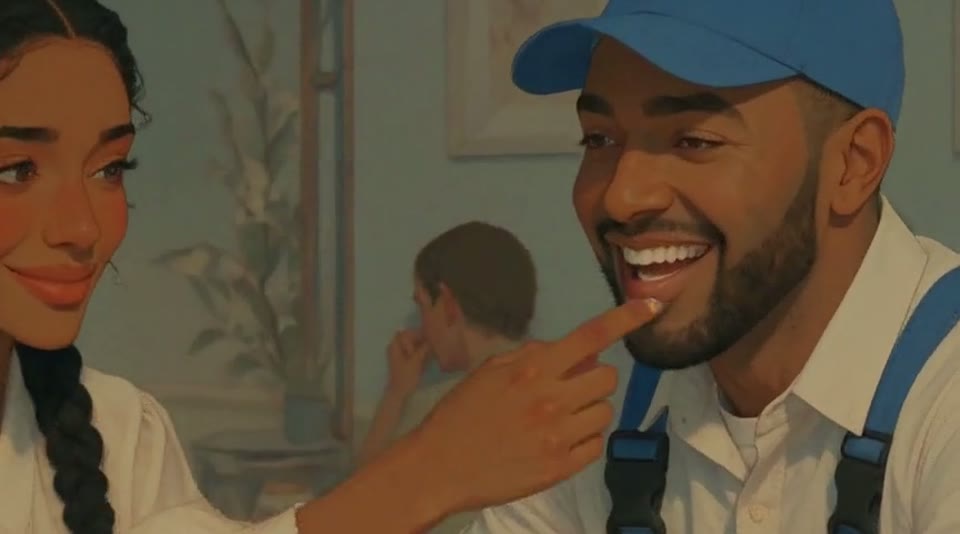
Make gestures do the storytelling
The cafe animation communicates warmth through a cup, a smile and a hand movement.
What to put in the prompt
Choose a few readable gestures rather than an overloaded script.
Reserve interface-safe space
Keep the face, product and action away from likely caption and button regions. Inspect the final crop in the intended destination.
Review native audio when available
Check the selected model’s audio controls and listen to the real result. Accurate subtitles and music editing remain separate tasks.
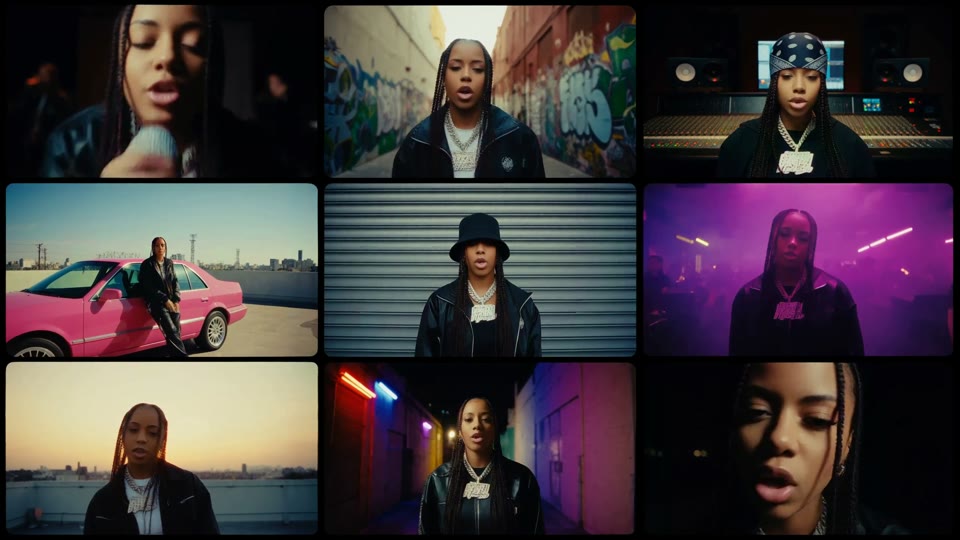
Try a different visual rhythm
The performance grid explores several moods at once.
What to put in the prompt
Use this as a composition direction; prepare final captions and platform-specific edits separately.
Check with and without sound
Review the existing audio track if present and judge whether the action reads silently. Do not claim an audio track that was not returned.
Finish the campaign in an editor
Add verified captions, licensed music, branding and final timing as needed. This workspace does not automatically complete or publish an advertisement.
Example prompts
Opening visual
A close view of morning coffee, steam rising slowly, a gentle camera push, subject centered with space for later captions, no generated text.
Portrait coffee opening
9:16 portrait close-up of coffee, steam rising slowly, slight camera push, subject centered with top and bottom space for later captions, no generated text.
4Carbon Pricing and Credit Plans
Subscriptions and one-time credits for AI image and video creation.
Cancel future renewals anytime
Lite
Save about 50%$0.025 /credit
$179.00 billed yearly · Save $179.80/year
600 credits/month
Video models


Image models
 GPT Image 2Fixed quote: 22 credits · Default settings
- GPT Image 2.5 FlareFixed quote: 4 credits · Default settings
- GPT Image 2.5 SunburstFixed quote: 4 credits · Default settings
 Nano Banana 2 LiteFixed quote: 5 credits · Default settings
- Nano Banana 2Fixed quote: 8 credits · Default settings
- Nano Banana ProFixed quote: 15 credits · Default settings
 Seedream V5Fixed quote: 14 credits · Default settings
- Seedream Pro LayerizeReserved credits: 119 credits · Default settings
 Grok Imagine ImageFixed quote: 4 credits · Default settings
- Image and video model access
- The same model and settings use the same credits across plans.
- Pay yearly. Credits arrive monthly and expire at each monthly window end. Unused credits do not roll over.
Standard
Save about 50%$0.017 /credit
$299.00 billed yearly · Save $299.80/year
1,500 credits/month
Video models
Image models
- GPT Image 2Fixed quote: 22 credits · Default settings
- GPT Image 2.5 FlareFixed quote: 4 credits · Default settings
- GPT Image 2.5 SunburstFixed quote: 4 credits · Default settings
- Nano Banana 2 LiteFixed quote: 5 credits · Default settings
- Nano Banana 2Fixed quote: 8 credits · Default settings
- Nano Banana ProFixed quote: 15 credits · Default settings
- Seedream V5Fixed quote: 14 credits · Default settings
- Seedream Pro LayerizeReserved credits: 119 credits · Default settings
- Grok Imagine ImageFixed quote: 4 credits · Default settings
- Image and video model access
- The same model and settings use the same credits across plans.
- Pay yearly. Credits arrive monthly and expire at each monthly window end. Unused credits do not roll over.
Pro
Save about 50%$0.014 /credit
$599.00 billed yearly · Save $599.80/year
3,600 credits/month
Video models
Image models
- GPT Image 2Fixed quote: 22 credits · Default settings
- GPT Image 2.5 FlareFixed quote: 4 credits · Default settings
- GPT Image 2.5 SunburstFixed quote: 4 credits · Default settings
- Nano Banana 2 LiteFixed quote: 5 credits · Default settings
- Nano Banana 2Fixed quote: 8 credits · Default settings
- Nano Banana ProFixed quote: 15 credits · Default settings
- Seedream V5Fixed quote: 14 credits · Default settings
- Seedream Pro LayerizeReserved credits: 119 credits · Default settings
- Grok Imagine ImageFixed quote: 4 credits · Default settings
- Image and video model access
- The same model and settings use the same credits across plans.
- Pay yearly. Credits arrive monthly and expire at each monthly window end. Unused credits do not roll over.
Max 1×
Save about 50%$0.012 /credit
$1,199.00 billed yearly · Save $1,199.80/year
8,000 credits/month
Video models
Image models
- GPT Image 2Fixed quote: 22 credits · Default settings
- GPT Image 2.5 FlareFixed quote: 4 credits · Default settings
- GPT Image 2.5 SunburstFixed quote: 4 credits · Default settings
- Nano Banana 2 LiteFixed quote: 5 credits · Default settings
- Nano Banana 2Fixed quote: 8 credits · Default settings
- Nano Banana ProFixed quote: 15 credits · Default settings
- Seedream V5Fixed quote: 14 credits · Default settings
- Seedream Pro LayerizeReserved credits: 119 credits · Default settings
- Grok Imagine ImageFixed quote: 4 credits · Default settings
- Image and video model access
- The same model and settings use the same credits across plans.
- Pay yearly. Credits arrive monthly and expire at each monthly window end. Unused credits do not roll over.
Payment and confirmation
Pricing is shown for reference. Online checkout is not available at launch.
Credits, cancellation and refunds
Pay yearly. Credits arrive monthly and expire at each monthly window end. Unused credits do not roll over.
Subscription credits expire at each paid monthly window end. Cancellation stops the next renewal; paid access continues to period end.
One-time credits are valid for 12 calendar months. A pack does not start a subscription.
Cancellation stops future renewals. Refunds are reviewed separately. Approved purchase reversals reduce only that purchase’s entitlements proportionally; used or reserved credits require review. Other purchases are unaffected.
Frequently asked questions
Does this deliver a finished advertisement?+
It makes short clips for further editing, without a full advertising edit, captions, music assembly or placement review.
How should I compose a vertical clip?+
Choose a supported portrait ratio and keep important action visible. A crop of landscape footage is not native portrait generation.
Are accurate subtitles added automatically?+
There is no separate subtitle-layout workflow here. Add and proofread required captions during editing.
Is a social cover created automatically?+
There is no separate cover workflow. Prepare a cover from permitted footage and inspect its title and platform crop.
Is audio always included?+
Only the selected model and audio setting apply. A prompt mentioning sound does not add a track when audio is off.
Explore the tools
Video Tools
Video Models
Image Tools
Image Models
Creative Tools
Generate your next social shot
A bicycle moving through a colorful market, a surprising camera turn or coffee filling a glass: build a short visual hook around one action, then shape it for your publishing format.