 4Carbon
Write the moment. See it move.
A red dress turning in a courtyard, espresso gathering in a glass, a world unfolding from a book. Turn a visual brief into a short clip with a clear subject, action and camera direction.
Cases and starting points
View prompt
An adult woman in a flowing red dress dances alone in a weathered stone courtyard lined with arched columns. Begin behind her, then let her turn so the skirt opens into a broad circle. End in a poised standing gesture. Soft overcast daylight, wet paving and a stable full-body composition, with no added titles.
Write the moment. See it move.
A red dress turning in a courtyard, espresso gathering in a glass, a world unfolding from a book. Turn a visual brief into a short clip with a clear subject, action and camera direction.
How long can the video be?
Use a valid duration displayed for the selected model, and plan an action that fits before checking the quote.
How is the aspect ratio chosen?
Text generation uses supported ratio controls. Reference workflows also depend on source framing; some video models inherit its proportions.
Is higher resolution always better?
It affects detail, file size and credits, and can expose existing mistakes. Choose for the intended use.
Text to video · Four steps
- STEP 1
Choose one clear shot
Begin with the espresso example: one clear glass, two narrow coffee streams and a stationary machine. Describe the subject and the physical process.
- Video5sSTEP 2
Set duration, framing and audio
Let the liquid rise while the counter stays still. Use a close view to inspect the glass, coffee color and crema layer.
- STEP 3
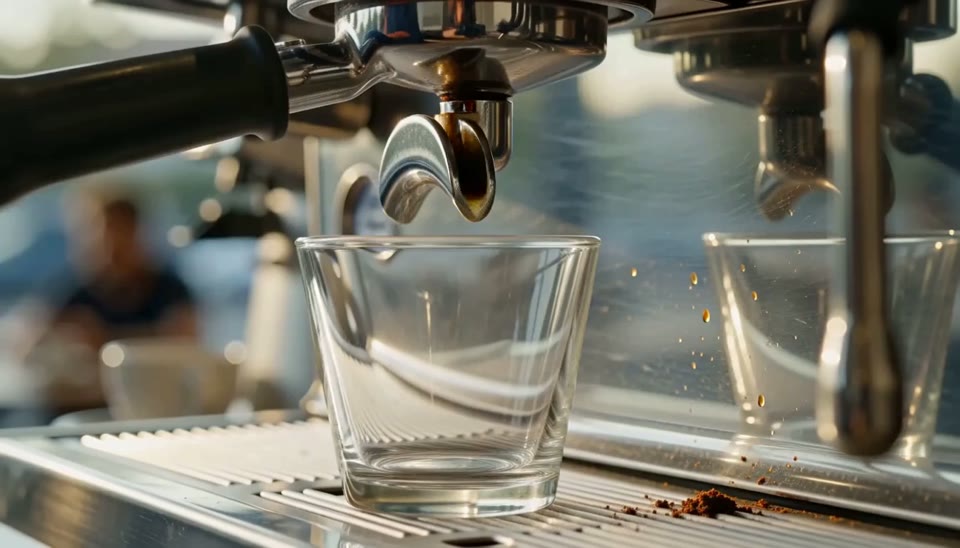
0s 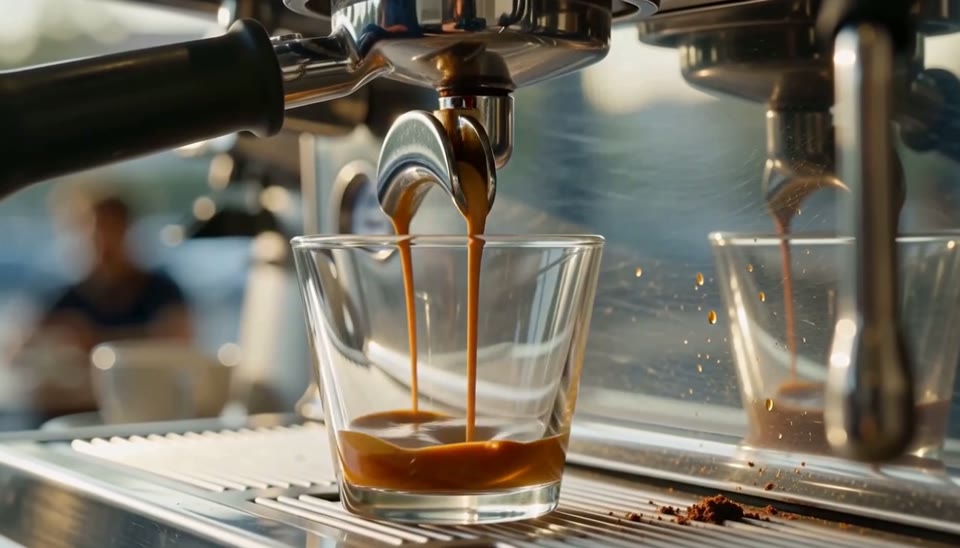
1.6s 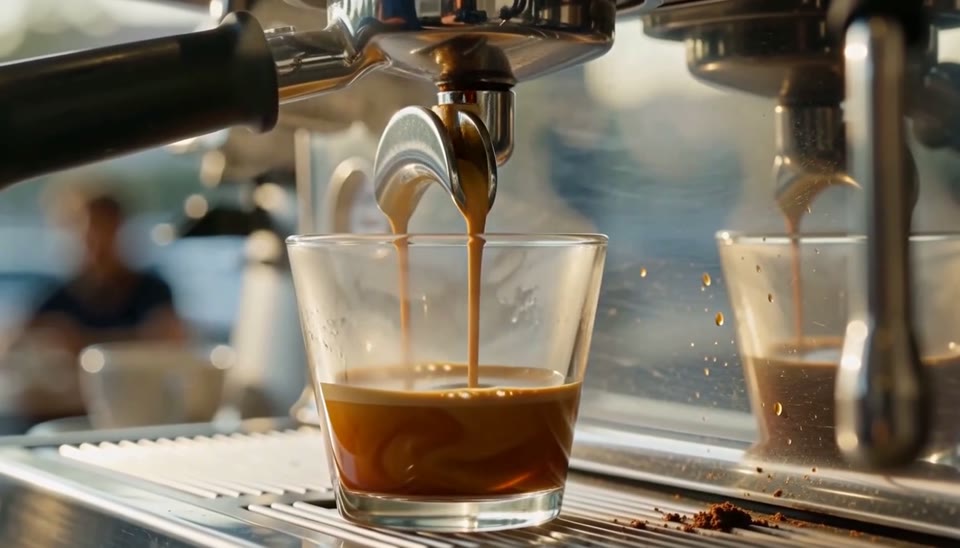
3.4s Review the quote and confirm
Choose supported duration, framing, quality and audio settings. Review the current workspace quote before confirming generation.
- STEP 4
Watch the entire clip and download
Watch from the empty glass to the ending. Check the flow, rim and reflections, then download the actual returned video file.
Download ↓
Features
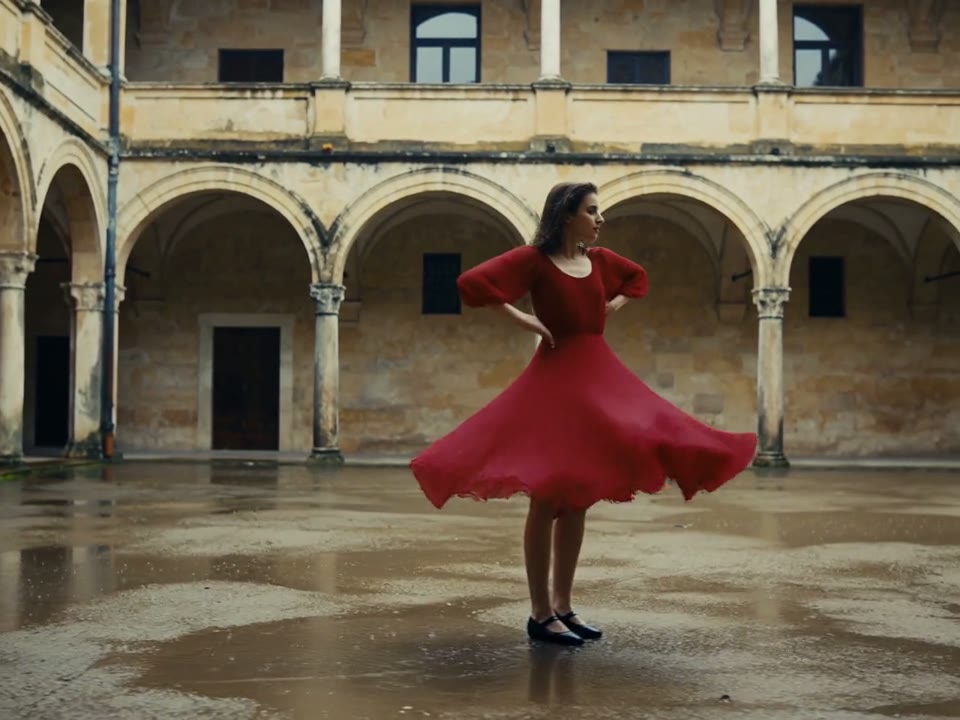
Make one action carry the shot
The courtyard dancer gives the dress room to open as she turns.
What to put in the prompt
Describe an opening pose, the main movement and a comfortable ending.
- Choose an action that fits the selected duration.
- Inspect the ending as well as the opening.
Choose an achievable action
Give the subject one main action. Avoid several locations, unrelated events or a complete edited sequence in one short request.
Let the movement settle
Describe where the action finishes or pauses. Review the final frames as well as the attractive opening frame.
Show change through a physical process
Espresso rises gradually in the glass.
What to put in the prompt
A simple process makes the opening and ending meaningfully different without needing several unrelated scenes.
- Distinguish camera movement from subject movement.
- Avoid several competing camera directions.
Use one main camera movement
A slow push, pan or steady shot is easier to direct than several competing moves. Keep the movement appropriate to the duration.
Keep the background related
Describe how the surroundings support the action. Inspect whether the scene remains continuous as the camera moves.
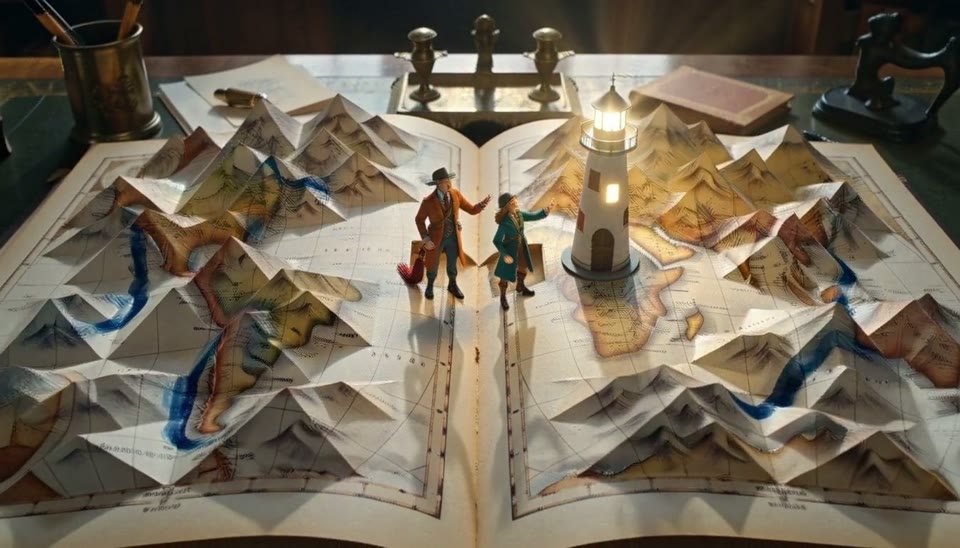
Give imaginative scenes a stable anchor
The leather-bound book stays central while a paper landscape unfolds.
What to put in the prompt
Name the object that should remain recognizable throughout the transformation.
- Request audio only with a supported setting.
- Listen to the real track through the whole clip.
Request relevant sounds
Use sound descriptions only with a model and setting that support audio. Turning audio off does not become audible because the prompt mentions sound.
Separate ambience from events
Distinguish a quiet room tone from a specific action sound. Listen to the full result rather than judging audio from a still preview.
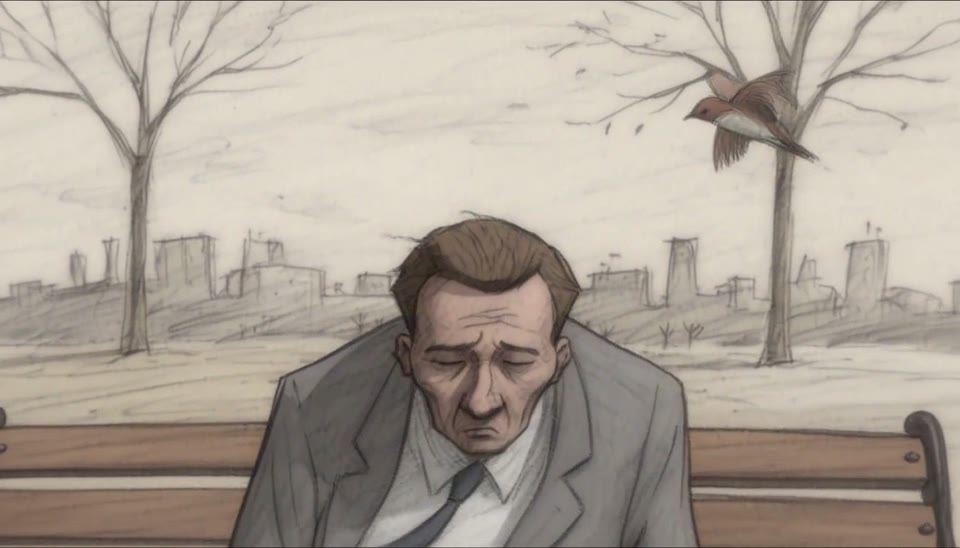
Choose a motion language for illustration
Loose ink lines and an exaggerated surprised expression define the bench scene.
What to put in the prompt
Describe the animation treatment as well as the subject.
Illustrate without implying proof
A generated demonstration is a visual concept. It does not establish a real product’s performance or a factual event.
Leave space for later text
Compose for headlines or captions if the clip will be edited. Accurate text and a finished campaign still need review outside this generator.
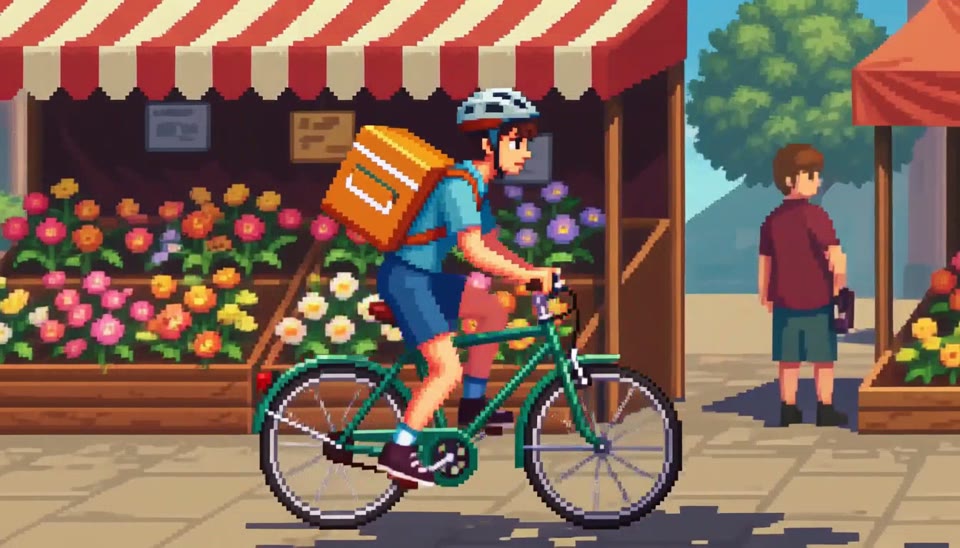
Build rhythm with foreground and background
The pixel courier moves while awnings and market stalls pass behind.
What to put in the prompt
A clear direction of travel helps the viewer follow a compact animated scene.
Change one instruction
Keep the working subject and setting while correcting the failed movement or camera direction. Avoid replacing every variable at once.
Recheck settings for the new purpose
Duration, audio, resolution and variant can change the quote. Review the current confirmation instead of assuming the previous price applies.
Example prompts
Subject action
A small amber perfume bottle on warm sandstone, a slow gentle camera push in, soft morning light moves across the glass, subtle natural room ambience, no speech, no lettering.
City morning
A quiet city street at dawn, one bicycle moving slowly through the scene, fixed camera, soft side light, no captions or cuts.
4Carbon Pricing and Credit Plans
Subscriptions and one-time credits for AI image and video creation.
Cancel future renewals anytime
Lite
Save about 50%$0.025 /credit
$179.00 billed yearly · Save $179.80/year
600 credits/month
Video models


Image models
 GPT Image 2Fixed quote: 22 credits · Default settings
- GPT Image 2.5 FlareFixed quote: 4 credits · Default settings
- GPT Image 2.5 SunburstFixed quote: 4 credits · Default settings
 Nano Banana 2 LiteFixed quote: 5 credits · Default settings
- Nano Banana 2Fixed quote: 8 credits · Default settings
- Nano Banana ProFixed quote: 15 credits · Default settings
 Seedream V5Fixed quote: 14 credits · Default settings
- Seedream Pro LayerizeReserved credits: 119 credits · Default settings
 Grok Imagine ImageFixed quote: 4 credits · Default settings
- Image and video model access
- The same model and settings use the same credits across plans.
- Pay yearly. Credits arrive monthly and expire at each monthly window end. Unused credits do not roll over.
Standard
Save about 50%$0.017 /credit
$299.00 billed yearly · Save $299.80/year
1,500 credits/month
Video models
Image models
- GPT Image 2Fixed quote: 22 credits · Default settings
- GPT Image 2.5 FlareFixed quote: 4 credits · Default settings
- GPT Image 2.5 SunburstFixed quote: 4 credits · Default settings
- Nano Banana 2 LiteFixed quote: 5 credits · Default settings
- Nano Banana 2Fixed quote: 8 credits · Default settings
- Nano Banana ProFixed quote: 15 credits · Default settings
- Seedream V5Fixed quote: 14 credits · Default settings
- Seedream Pro LayerizeReserved credits: 119 credits · Default settings
- Grok Imagine ImageFixed quote: 4 credits · Default settings
- Image and video model access
- The same model and settings use the same credits across plans.
- Pay yearly. Credits arrive monthly and expire at each monthly window end. Unused credits do not roll over.
Pro
Save about 50%$0.014 /credit
$599.00 billed yearly · Save $599.80/year
3,600 credits/month
Video models
Image models
- GPT Image 2Fixed quote: 22 credits · Default settings
- GPT Image 2.5 FlareFixed quote: 4 credits · Default settings
- GPT Image 2.5 SunburstFixed quote: 4 credits · Default settings
- Nano Banana 2 LiteFixed quote: 5 credits · Default settings
- Nano Banana 2Fixed quote: 8 credits · Default settings
- Nano Banana ProFixed quote: 15 credits · Default settings
- Seedream V5Fixed quote: 14 credits · Default settings
- Seedream Pro LayerizeReserved credits: 119 credits · Default settings
- Grok Imagine ImageFixed quote: 4 credits · Default settings
- Image and video model access
- The same model and settings use the same credits across plans.
- Pay yearly. Credits arrive monthly and expire at each monthly window end. Unused credits do not roll over.
Max 1×
Save about 50%$0.012 /credit
$1,199.00 billed yearly · Save $1,199.80/year
8,000 credits/month
Video models
Image models
- GPT Image 2Fixed quote: 22 credits · Default settings
- GPT Image 2.5 FlareFixed quote: 4 credits · Default settings
- GPT Image 2.5 SunburstFixed quote: 4 credits · Default settings
- Nano Banana 2 LiteFixed quote: 5 credits · Default settings
- Nano Banana 2Fixed quote: 8 credits · Default settings
- Nano Banana ProFixed quote: 15 credits · Default settings
- Seedream V5Fixed quote: 14 credits · Default settings
- Seedream Pro LayerizeReserved credits: 119 credits · Default settings
- Grok Imagine ImageFixed quote: 4 credits · Default settings
- Image and video model access
- The same model and settings use the same credits across plans.
- Pay yearly. Credits arrive monthly and expire at each monthly window end. Unused credits do not roll over.
Payment and confirmation
Pricing is shown for reference. Online checkout is not available at launch.
Credits, cancellation and refunds
Pay yearly. Credits arrive monthly and expire at each monthly window end. Unused credits do not roll over.
Subscription credits expire at each paid monthly window end. Cancellation stops the next renewal; paid access continues to period end.
One-time credits are valid for 12 calendar months. A pack does not start a subscription.
Cancellation stops future renewals. Refunds are reviewed separately. Approved purchase reversals reduce only that purchase’s entitlements proportionally; used or reserved credits require review. Other purchases are unaffected.
Frequently asked questions
How long can the video be?+
Use a valid duration displayed for the selected model, and plan an action that fits before checking the quote.
How is the aspect ratio chosen?+
Text generation uses supported ratio controls. Reference workflows also depend on source framing; some video models inherit its proportions.
Is higher resolution always better?+
It affects detail, file size and credits, and can expose existing mistakes. Choose for the intended use.
Is audio always included?+
Only the selected model and audio setting apply. A prompt mentioning sound does not add a track when audio is off.
Does this produce a finished multi-shot edit?+
This produces short video material. Several scene instructions are not an automatic editing or transition workflow.
Explore the tools
Video Tools
Video Models
Image Tools
Image Models
Creative Tools
Generate your first shot
A red dress turning in a courtyard, espresso gathering in a glass, a world unfolding from a book. Turn a visual brief into a short clip with a clear subject, action and camera direction.